Tessera
Piece together
a life you love.
A mindful daily planner that helps you build balance across every area of life - Keep everything all in one place, instead of scattered across a dozen different apps.
Tessera is in open beta and free to use while testing. Pricing may apply after the full launch, but you'll get a heads up before that happens.
One place, not a dozen tabs
Tessera beta testers came in juggling calendars, sticky notes, alarms, and paper planners that never talked to each other. Tessera replaces all of it.
Your life isn't a list.
It's a mosaic.
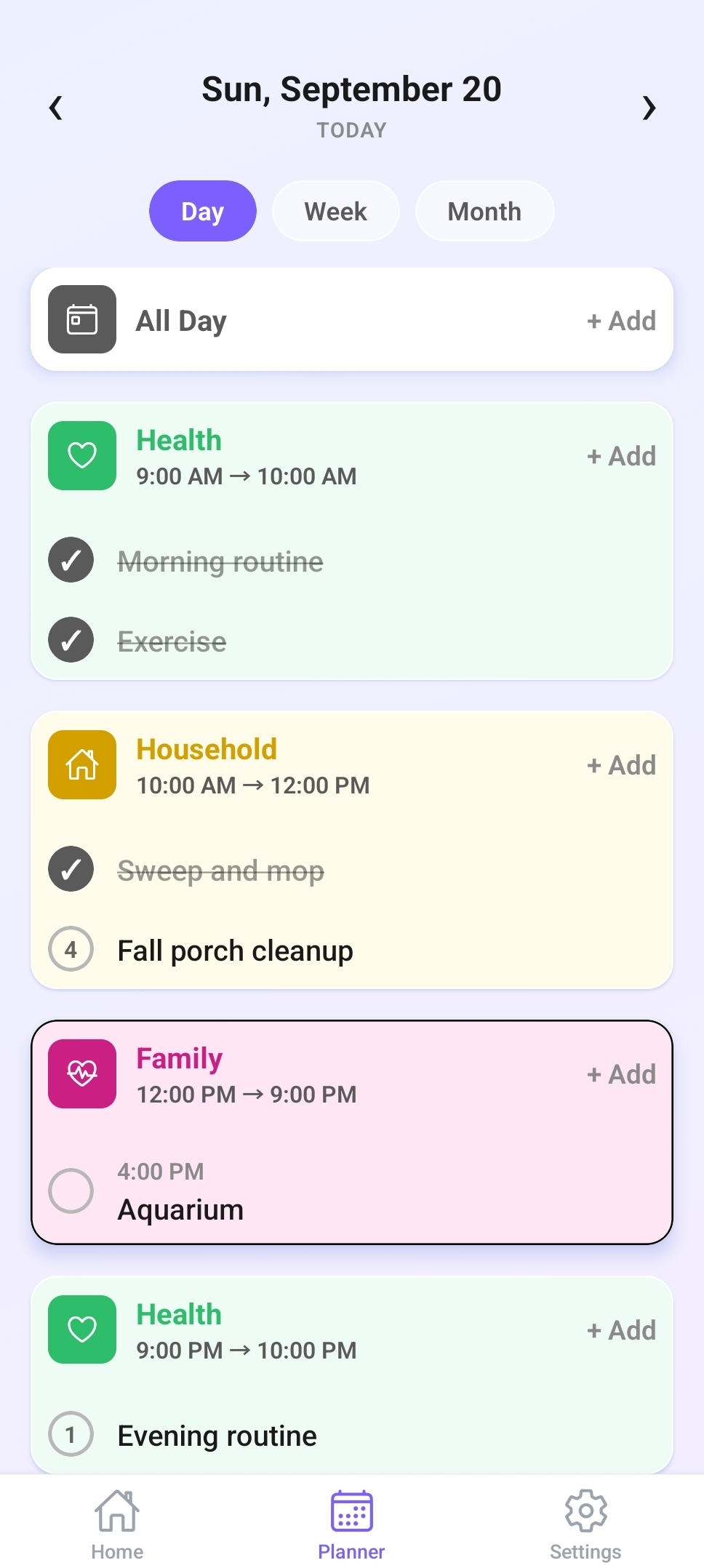
A tessera is a single tile in a mosaic, with each one working harmoniously to create a bigger picture. Each area of your life, such as work, family, and health, becomes a tile. Tessera helps you keep every tile in view so you can stay balanced.
Planning that works with you
Most planners are built for perfect days. Tessera is built for real ones.
Routine without rigidity
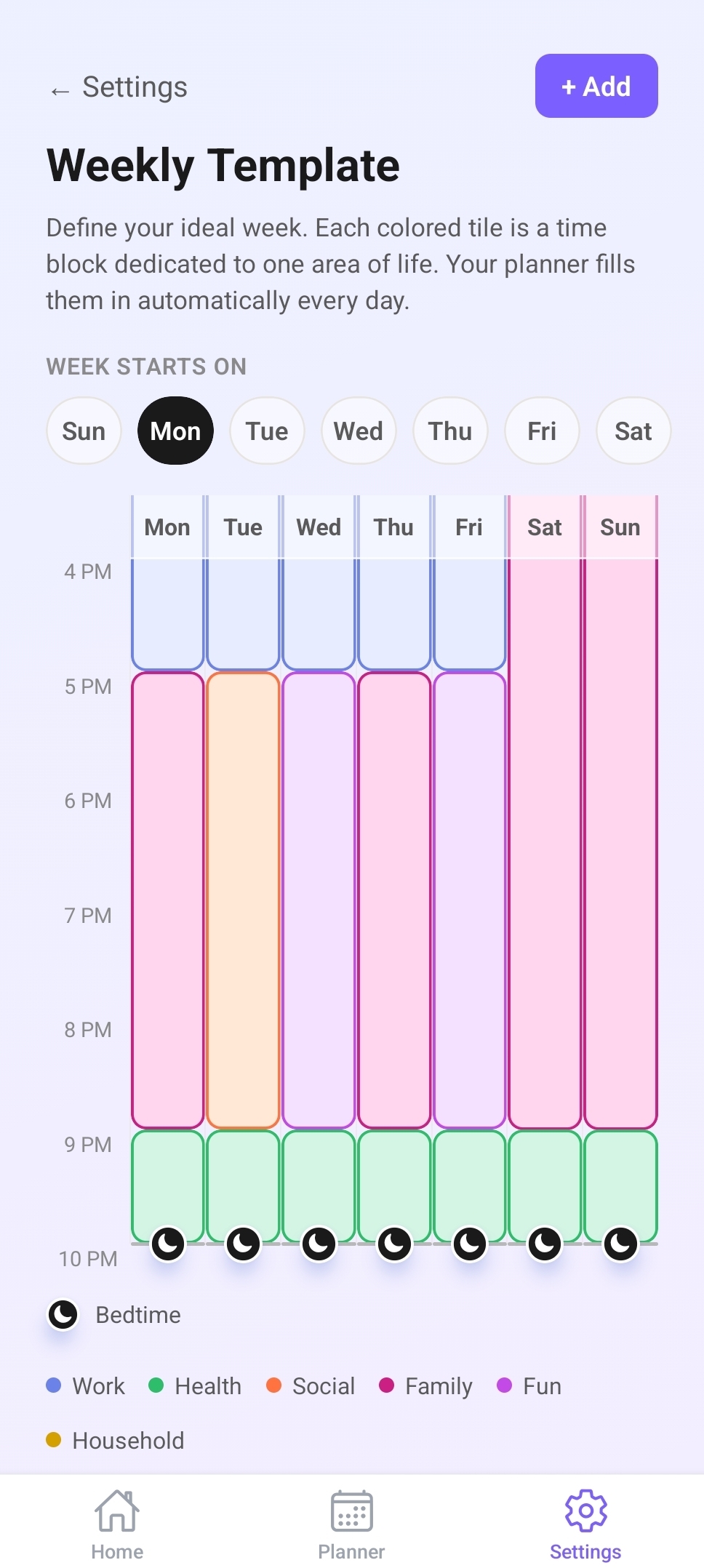
Strict time-blocking breaks the moment life shifts, and suddenly the whole day feels ruined. Tessera's weekly template gives you a consistent rhythm without locking you into a minute-by-minute schedule.
One area at a time
Jumping between work, family, and personal goals all day is exhausting. Tessera's tile structure lets you focus on one area of life at a time, reducing the mental load that comes with every context switch.
Priorities that flex
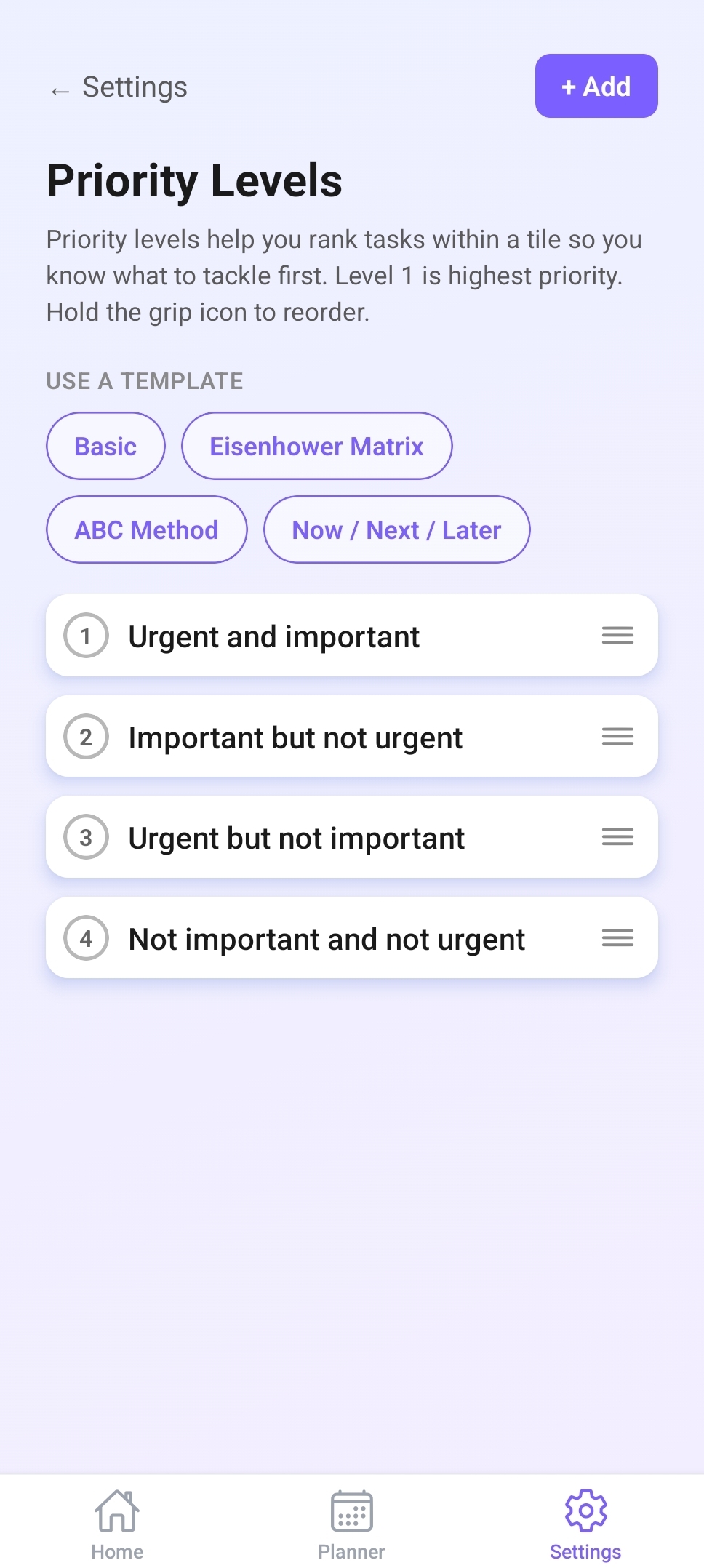
Within each tile, a task list with dynamic priority levels keeps you focused on what matters most right now instead of a rigid plan made weeks in advance.
Forgiving on the hard days
Some days don't go as planned, and Tessera doesn't punish you for it. Anything left unfinished quietly resurfaces the next morning, so a rough day never turns into a lost task.
Never carry it all in your head
Add a reminder to anything you don't want to forget, and Tessera will nudge you right when it matters.
How it works
Three steps to a more intentional day.
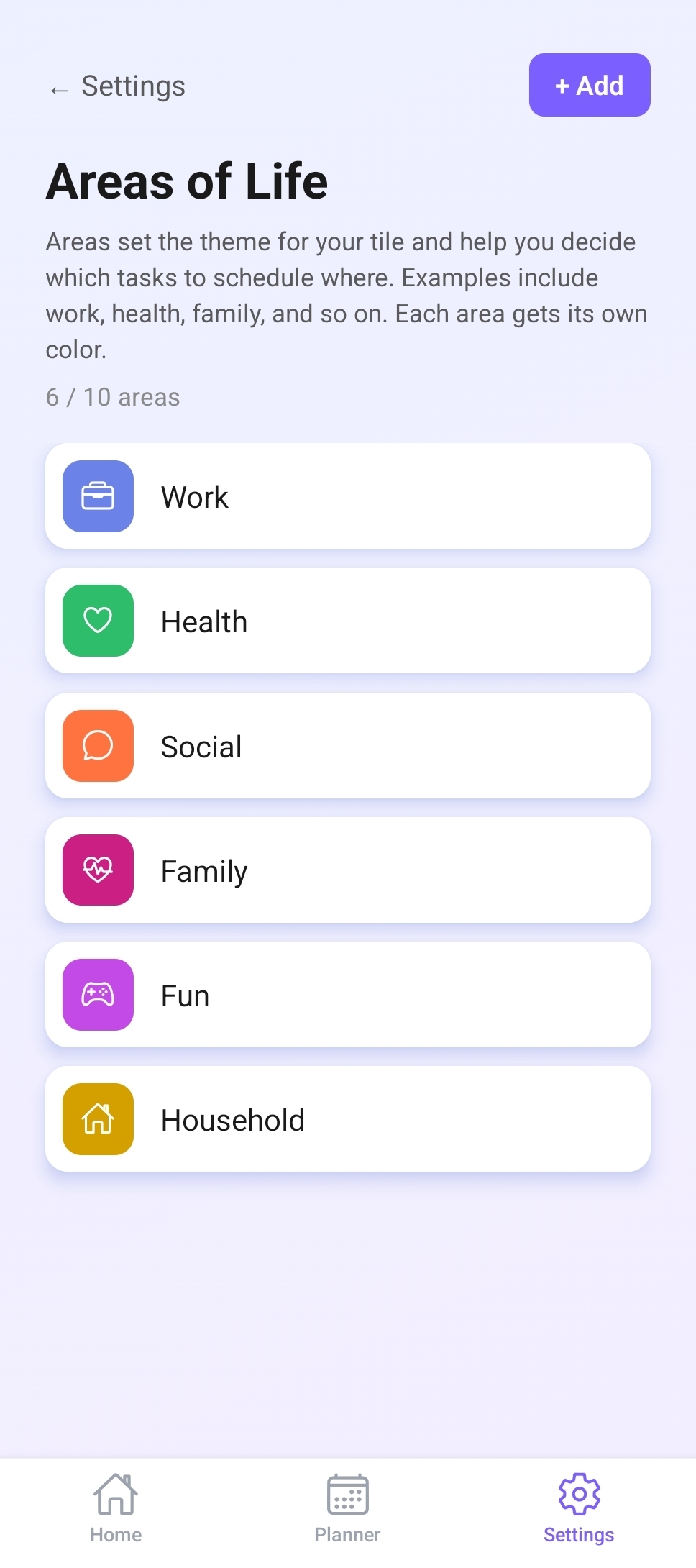
Pick your tiles
Choose the areas of life that make up your unique mosaic.
Set your rhythm
Build a weekly template that carves out time for each area.
Plan your day
Start each morning with clarity on exactly where to focus.
See it in action
A quick look at how Tessera fits into your day.
Set your areas of life that you want to maintain in balance.
Set your weekly routine.
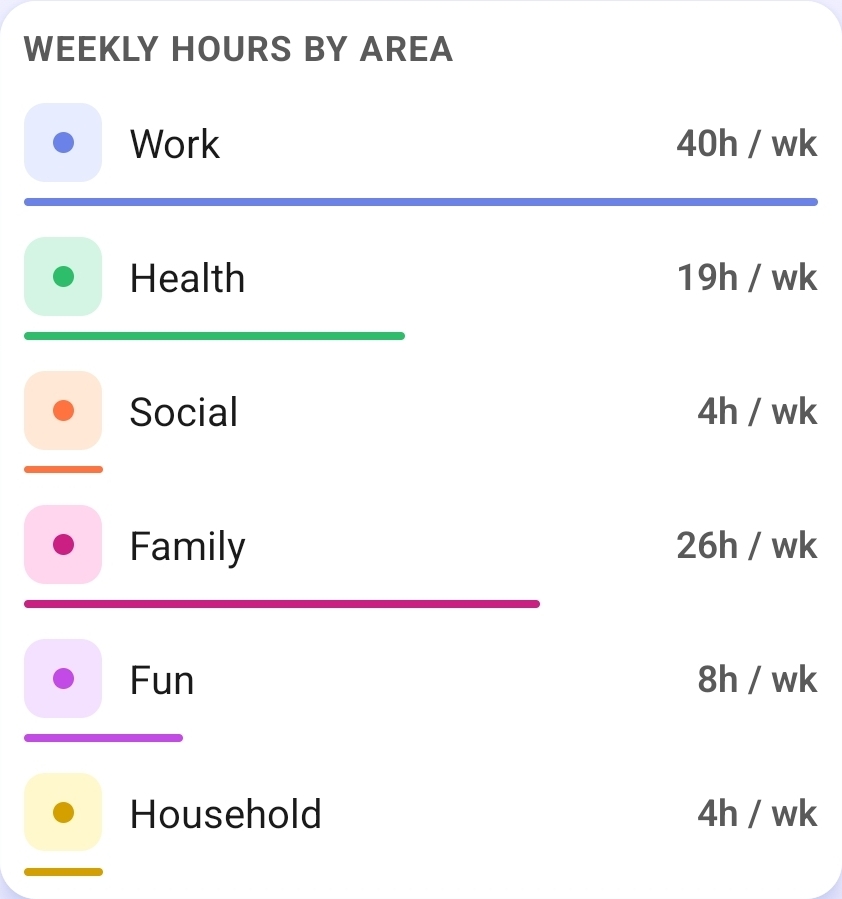
Keep track of where you’re spending your time.
Customize your priority levels if high, medium, and low isn’t your preference.
Add a task list within your tiles. Work through this list during the time slot you set. Mark each task complete when you’re done, and watch your productivity grow.
What beta testers are saying
Especially resonant for anyone who struggles with time management and prioritizing their day.
“My biggest frustration was that I was not being able to map out my day and life as efficiently as I am able to now.”
— Tessera Beta Tester
“Helped me keep track and prioritize my tasks better, as well as calculate how much time I’m spending in each area.”
— Tessera Beta Tester
“Maps the few activities I have per week organized by specific time instead of just as a list.”
— Tessera Beta Tester
Start building
your mosaic today.
Tessera is in open beta. Install it now on iOS or Android and start planning today.
Tessera is in open beta and free to use while testing. Pricing may apply after the full launch, but you'll get a heads up before that happens.